
Walk into a five-hundred or five-thousand-person company and you’ll find an HQ team in Charlotte, a sales floor in Boston, a manufacturing site in Greenville, a remote engineering org spread across multiple time zones, and a hundred field reps who travel more weeks of the year than not.
Each of those groups shows up to work for the same employer. None of them experience that employer the same way.
So why has employee giving software treated them as if they did?
According to Blackbaud’s industry review, companies running both giving and volunteering programs see employee participation rates near 11.7% — nearly three times higher than the 4.5% rate of giving-only programs. The gap isn’t an argument for “more programs.” It’s an argument for relevance: when employees see opportunities that fit their lives, they show up.
Why one-size-fits-all employee giving programs underperform
A one-size-fits-all employee giving program offers every employee — regardless of location, role, or interests — the same campaigns, nonprofits, and volunteer opportunities. It’s the default architecture of every legacy workplace giving platform: one experience, one set of featured nonprofits, one calendar of volunteer events, one tone of voice.
The economics of that approach are unforgiving.
Programs designed around national headlines tend to underperform in regional offices. Programs designed around HQ tend to lose remote employees entirely. A field rep in the Carolinas doesn’t need to see four campaigns aimed at the on-site population at headquarters — they need to see the one campaign that fits the way they actually work. Send them everything, and they engage with nothing.
Most CSR teams compensate by sending more email. Or by giving up quietly — accepting that participation outside HQ will always trail. Neither is a strategy. Both leave engagement on the table. The teams that pull ahead — the ones Benevity’s State of Corporate Purpose describes as future-proofing their organizations — are the ones treating their workforce as the distinct populations it already is, and designing engagement around relevance rather than reach.
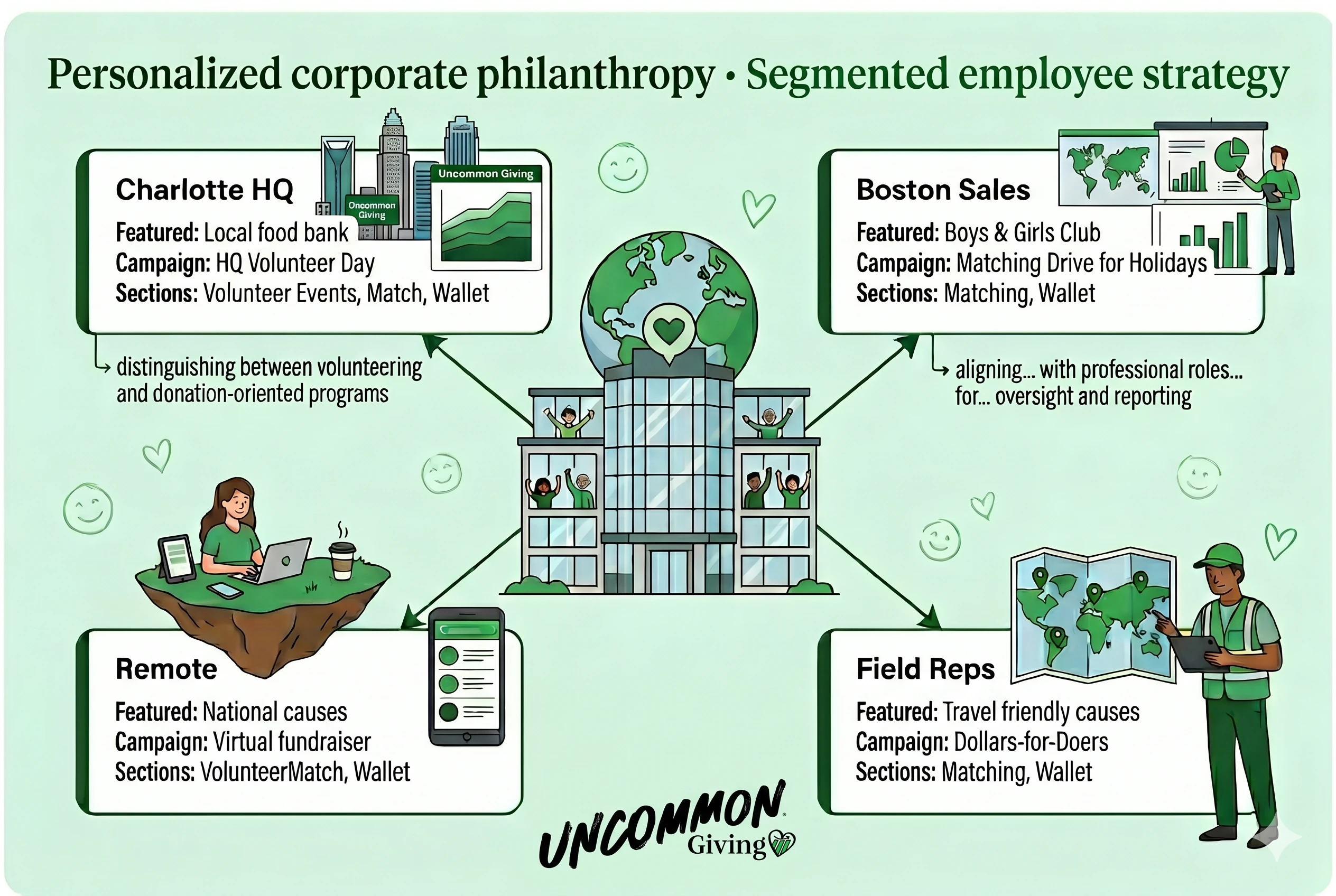
What personalized employee giving actually means
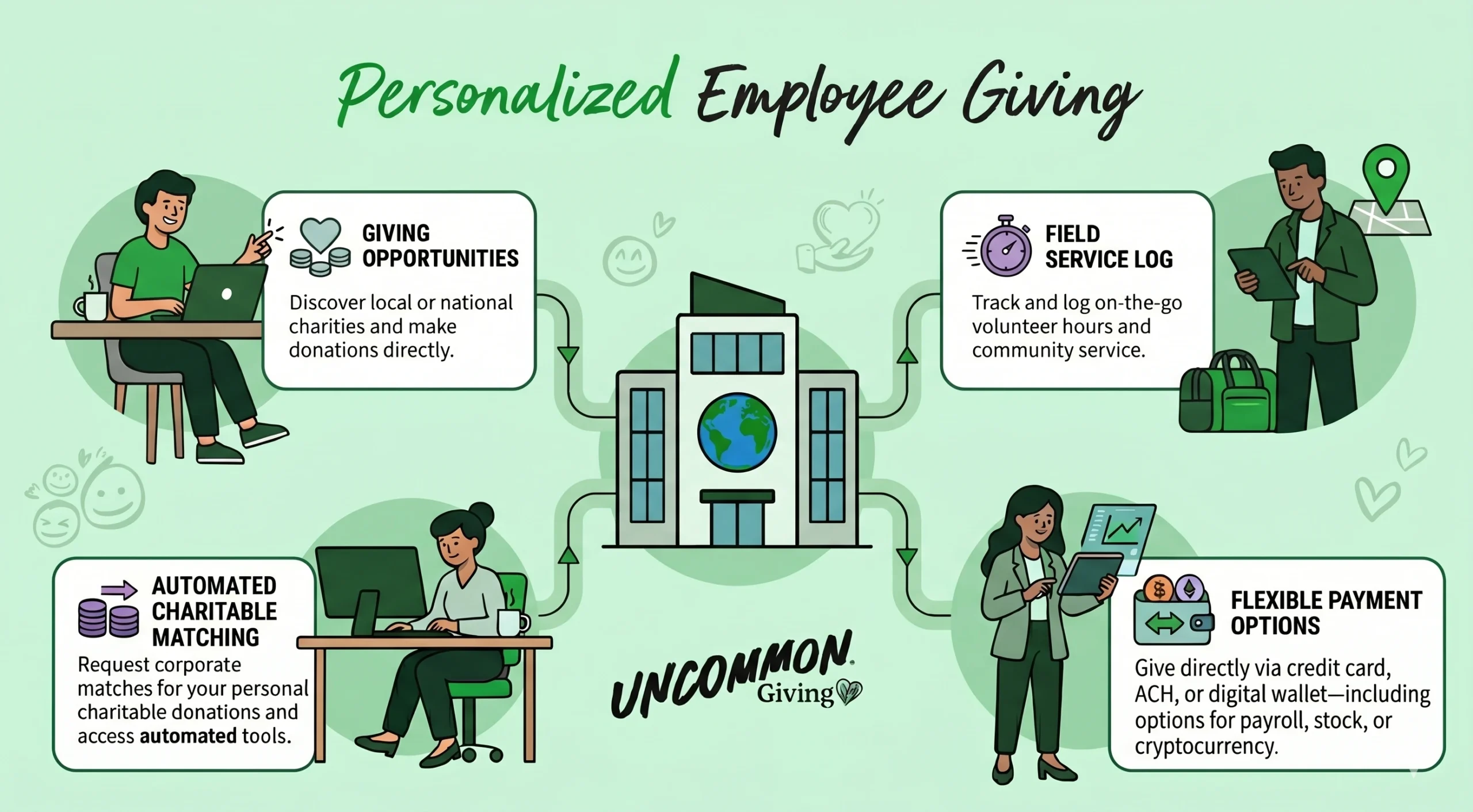
Personalized employee giving is the practice of tailoring the giving experience — featured nonprofits, campaigns, volunteer opportunities, and content — to specific employee segments based on attributes like location, department, or role.
It’s worth being precise about what this is, and isn’t.
It’s not “personalization” in the Netflix sense — algorithms learning a user’s preferences and reshaping content silently in the background. Workplace giving personalization is admin-curated and segment-driven. The CSR or HR team decides that the Boston sales team should see one set of opportunities, the Greenville plant another, and remote employees a third. The platform routes the right experience to the right person based on the data your HR system already has — location, department, custom attributes — without anyone touching individual profiles.
It’s also not “many programs in one company.” It’s one program, with multiple presentations of itself. Same brand. Same reporting. Same admin. Different content surfaces.
That distinction matters because it’s what makes personalization actually attainable for mid-sized CSR teams. Running parallel programs is a staffing problem. Running one program with multiple presentations is a configuration choice.
Three principles for segmenting your workplace giving and volunteering program
Effective segmentation means giving each employee group a giving experience designed for the way they actually work — not a watered-down version of the HQ program.
A few principles separate segmentation that produces results from segmentation that produces complexity:
Segment by what employees experience differently
Don’t segment for the sake of it. Segment along the dimensions where employees’ actual experience of work diverges. Location is almost always the first axis — the volunteer opportunities available in Boston are not the volunteer opportunities available in Phoenix, full stop. Department is the second — engineering, sales, and operations care about different campaigns and have different windows of time. Role and tenure can become a third axis for larger workforces. Most companies already have all three of these in their HR system; the question is whether the giving platform can use them.
Maintain one source of truth, not parallel programs
The fastest way to break a personalization initiative is to fork it into multiple admin instances, each with its own settings, its own reporting, and its own content workflow. Maintain one program. One admin panel. One set of approved nonprofits. One reporting dashboard. The audience-specific content lives inside that single program, not in a separate one. That’s true for personalized campaigns, personalized volunteer events, and personalized matching gift programs alike.
Default to inclusion, not exclusion
Every employee should match a profile. Always. The “default” experience — the one a new hire or a non-matched employee sees — should be a strong, complete program in its own right, not a bare-bones fallback. Personalization is about adding relevance, never about leaving anyone with less.

How Uncommon Giving makes personalization easy — Smart Profiles
Smart Profiles are how Uncommon Giving lets workplace administrators serve a personalized giving experience to every employee segment from a single workplace — without parallel programs, parallel reports, or parallel admin work.
A workplace admin builds multiple profiles inside one workplace (“Charlotte Office,” “Boston Sales,” “Remote Users”) and targets each to a specific segment of employees. The targeting uses data your HR system already has — location, department, and custom attributes — and supports multi-select on every dimension, so a single profile can serve every employee in three offices or four departments at once.
Each profile is a fully independent content surface. It has its own featured nonprofits, its own campaigns, its own volunteer events, and its own choice of which sections to show and in what order. When an employee logs in, the profile that matches them becomes the experience they see.
Three design choices make Smart Profiles quietly do what you’d expect:
- The default profile is automatic. Every workplace has exactly one — the fallback for any employee who doesn’t match a Smart Profile. On upgrade, your existing configuration is seeded into the default profile, so nothing your employees see today changes until you choose to change it.
- Priority handles overlap. When an employee matches more than one Smart Profile, priority decides which one wins. Priority is drag-and-drop — admins reorder the list and the top match takes effect. No lookup tables, no rules language.
- Admin preview removes the guesswork. Stand in any matched employee’s shoes before publishing. Section visibility, ordering, and the spotlight card all render exactly as they will for that employee.
Central control. Local relevance. Same program. Different experiences — all curated by the same team. The same architecture also powers personalized matching gift rules, region-specific campaigns, and audience-specific volunteer schedules — all from a single admin surface.
Personalization isn’t a marketing lever. It’s an engagement one. Programs built for one audience underserve everyone outside it; programs built for many audiences let each group show up to causes that actually fit. The technology to do this no longer requires running parallel programs or hiring a team of admins to maintain them. It just requires an architecture that treats employees as the distinct populations they already are.
FAQ about personalized employee giving & volunteering
A workplace admin builds multiple profiles inside one workplace (“Charlotte Office,” “Boston Sales,” “Remote Users”) and targets each to a specific segment of employees. The targeting uses data your HR system already has — location, department, and custom attributes — and supports multi-select on every dimension, so a single profile can serve every employee in three offices or four departments at once.
Each profile is a fully independent content surface. It has its own featured nonprofits, its own campaigns, its own volunteer events, and its own choice of which sections to show and in what order. When an employee logs in, the profile that matches them becomes the experience they see.
Three design choices make Smart Profiles quietly do what you’d expect:
- The default profile is automatic. Every workplace has exactly one — the fallback for any employee who doesn’t match a Smart Profile. On upgrade, your existing configuration is seeded into the default profile, so nothing your employees see today changes until you choose to change it.
- Priority handles overlap. When an employee matches more than one Smart Profile, priority decides which one wins. Priority is drag-and-drop — admins reorder the list and the top match takes effect. No lookup tables, no rules language.
- Admin preview removes the guesswork. Stand in any matched employee’s shoes before publishing. Section visibility, ordering, and the spotlight card all render exactly as they will for that employee.
Central control. Local relevance. Same program. Different experiences — all curated by the same team. The same architecture also powers personalized matching gift rules, region-specific campaigns, and audience-specific volunteer schedules – all from a single admin surface.
Personalization isn’t a marketing lever. It’s an engagement one. Programs built for one audience underserve everyone outside it; programs built for many audiences let each group show up to causes that actually fit. The technology to do this no longer requires running parallel programs or hiring a team of admins to maintain them. It just requires an architecture that treats employees as the distinct populations they already are.
What is personalized employee giving?
Personalized employee giving is the practice of tailoring the giving experience — featured nonprofits, campaigns, volunteer opportunities, and content — to specific employee segments based on attributes like location, department, role, or tenure. It lets a single workplace giving program show different content to different employee groups without requiring parallel programs, parallel admin work, or parallel reporting.
How is workplace giving personalization different from algorithmic personalization (like Netflix)?
Workplace giving personalization is admin-curated and segment-driven, not algorithmic. The CSR or HR team decides which employee segments see which content, and the platform routes the right experience based on attributes from your HR system — location, department, custom attributes — rather than learning from individual employee behavior. Unlike Netflix-style personalization, no behavioral data is collected on individual employees, and admins remain in full control of what each segment sees.
Do I need to run multiple workplace giving programs to personalize the experience?
No. Effective personalization uses one program with multiple presentations of itself — same brand, same admin, same reporting, but different content surfaces for different employee segments. Running parallel programs is a staffing problem; running one program with audience-specific configurations is a setup choice. Uncommon Giving's Smart Profiles work this way: one workplace, multiple targeted profiles inside it.
What employee data do I need to personalize my giving program?
Most personalization runs on data your HR system already has: location, department, and one or two custom attributes such as role, tenure, or business unit. You don't need behavioral analytics, surveys, or individual preferences. As long as your HR data flows into your giving platform — through HRIS integration, SSO, or scheduled sync — personalization is a configuration choice rather than a data project.
Ready to make your employee giving program work for every team?
Three paths, depending on where you are in your journey:
-
Just exploring
Compare workplace giving platforms →
See how Uncommon Giving stacks up against alternatives.
-
Building a business case
Try the ROI Calculator →
See what a personalized program could mean for your org.
-
Ready to see it in action
Get a demo →
15 minutes — walk through Smart Profiles live.